
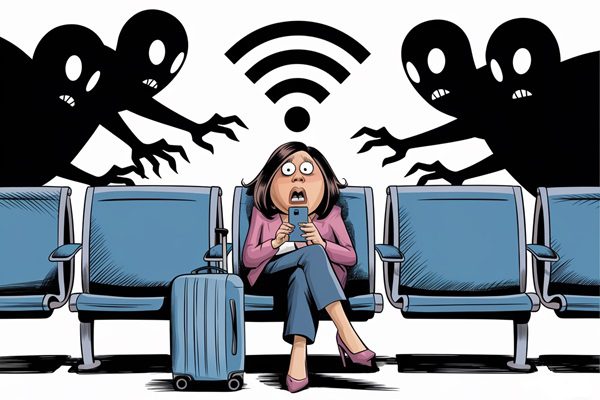
Is the public Wi-Fi network at JFK International Airport safe? One of Vivian Au’s customers recently wanted to know.
The network in question was called JFK-Free-WiFi, and it did a peculiar thing when her client tried to log on: It asked for her birthdate.
It was unsafe, says Au, a consultant specialising in corporate technology and security. “Real airport networks never do that,” she says.
But at a time when it seems safe to use a public Wi-Fi network at the airport, it’s getting harder to tell safe from dangerous. Experts say airports have upgraded the security on their public networks. At the same time, scammers have gotten smarter about stealing personal information from unsuspecting users.
“Airport Wi-Fi can be convenient for accessing apps and services to pass the time before a flight,” says Gary Orenstein, chief customer officer of Bitwarden, a password management service. “At the same time, these networks are also known to be a honeypot for bad actors. If a network is compromised, cybercriminals can exploit the risk to extract sensitive information from connected devices.”
The most high-profile case happened last year in Western Australia, where a man was arrested for allegedly establishing fake free Wi-Fi access points, which mimicked legitimate networks. These access points, which operated a lot like the bogus JFK-Free-WiFi access point, captured personal data from unsuspecting victims who mistakenly connected to them, according to police.
What do the bad guys do with the data they steal? According to Orenstein, it’s more like what don’t they do?
- Cybercriminals may intercept credit card or banking data shared over unencrypted networks and connections.
- Attackers may use unsecured public networks to plant ads on legitimate websites, redirect users to malicious sites, and exploit trackers embedded on previously visited pages.
- Hackers might encourage users to download malware-infected files or fraudulent apps disguised as helpful tools for connecting to airport Wi-Fi.
- Criminals can also steal personal data and other private details, potentially aiding entry into critical consumer accounts.
Police alleged the Australian hacker used a portable wireless access device to create “evil twin” free Wi-Fi networks, which he used at multiple locations to lure unsuspecting users into believing they were legitimate services.
In other words, while using an airport Wi-Fi network may seem safe, it’s still fraught with danger.
“Airports are prime targets for cybercriminals looking to steal information, identities, and money,” says Tomas Stamulis, chief security officer at Surfshark. “Unfortunately, information security isn’t a top priority for many organisations, airports included. Despite advances in Wi-Fi technology, adoption of stronger security systems is slow, leaving travellers exposed to data breaches and fraud.”
Why do people think airport Wi-Fi networks are safe now?
Experts say early airport Wi-Fi networks were open and lacked even basic security. Today, airports have advanced WPA3 encryption, a series of security protocols that protect your password and the devices on the network. Apart from the incident in Australia, there have been few recent reports of network breaches that have resulted in a loss of data.
Is using an airport Wi-Fi network with your computer or phone safe?
“Airports have indeed improved their Wi-Fi security,” says Rafay Baloch, CEO of REDSECLABS, a cybersecurity company specialising in security consulting, training, and other cybersecurity services. “But the system is still not foolproof.”
Baloch says connecting to the internet while transiting through an airport terminal is convenient.
“But all public networks are insecure,” he warns. “There are many hackers who set up fake Wi-Fi networks with names that are very similar to the real ones to catch people’s attention. Once connected, the attackers can launch different attacks to sniff out important information from the users.”
How do you know if an airport Wi-Fi network is safe?
There are a few ways to determine whether an airport Wi-Fi network is safe—or at least safe.
Is the name suspicious? Hackers are not grammarians. So some networks will have telltale signs that they’re bogus, like typos. Never connect to a network called “DULLES_Offficial_Free_Wfi,” for example. You’re just asking for trouble.
Does it use encryption? After connecting, ensure the website you’re visiting uses “https” in the URL and has a padlock symbol. “This means the connection is encrypted, and your data is protected,” says Gyan Chawdhary, the CEO of Kontra’s security training platform.
Does it ask for private information? Remember, hackers are trying to harvest personal information, so they’ll ask for your birthday or email credentials. They may even brazenly ask for your credit card information. A free airport Wi-Fi network will not ask for that information.
Did the airport advertise it? Often, airports will display the name of the official access point on the screens. “You can also double-check the network name with the airport personnel,” says Marcelo Barros, the global director of Hacker Rangers, a security awareness training firm.
However, according to experts, none of these strategies is foolproof.
“If you need to get online at the airport, it’s safer and more reliable to use your cell phone’s data plan,” says Craig Steele, director of Digital Skills Education. This company offers courses that help regular people stay safe online. “That way, you’re connecting directly to your carrier instead of relying on public Wi-Fi. When I’m travelling I’d always use that first, rather than connecting to a public Wi-Fi network.”
So, will you use the airport Wi-Fi network this summer?
Bottom line: Airport wireless networks aren’t entirely safe, even the official ones. But will that stop you from using them? Nah. A recent report by Norton suggests 60 percent of users have logged on to a public network in the past year, and that trend shows no sign of abating.
Matthew Hicks, an associate professor of computer science at Virginia Tech, says it depends on what you do on the network.
“At one extreme, it is safe enough to check the latest sports scores, weather, or stock market on an updated device,” he says. “At the other extreme, it is risky to perform financial transactions, or work with other sensitive data in the cloud, using a device that hasn’t been updated in years, for an eight-hour layover.”
Even if you stay off the airport network, can you guarantee that your kids will? And who knows what malware they’ll download or what data they’ll give up between watching videos and texting their friends?
The fact is, even though airport Wi-Fi looks and feels safe, it might not be. But that probably won’t stop you from using it.
By Christopher Elliott
BIO:
Christopher Elliott is an author, consumer advocate, and journalist. He founded Elliott Advocacy, a nonprofit organization that helps solve consumer problems. He publishes Elliott Confidential, a travel newsletter, and the Elliott Report, a news site about customer service. If you need help with a consumer problem, you can reach him here or email him at [email protected].